
Overview
This article shows you how to determine what files and directories are using space within your hosting subscription. This can be a great place to start if you’ve received a notification in regards to excess usage (eg, Resource usage by subscription has exceeded the allotments).
Instructions
- Log into your Conetix or Plesk Control Panel.
- Within the website you want detailed file usage for, select Diskspace Usage:

- This will load the data for the httpdocs directory for the site, which is where your files sit. For example:
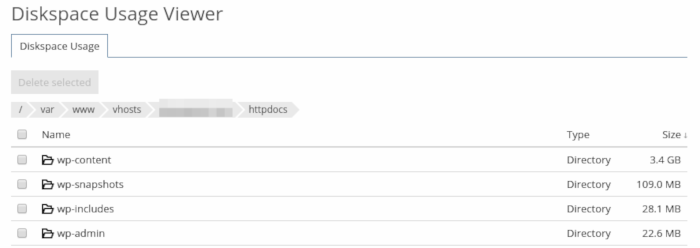
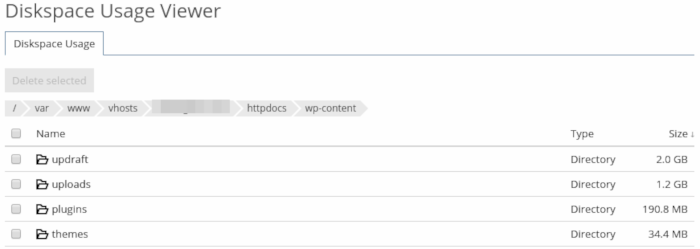
- You can then click on each directory to see further usage information. For example, if we look at the wp-content directory (where WordPress stores uploaded images, bacukps, themes and plugins):
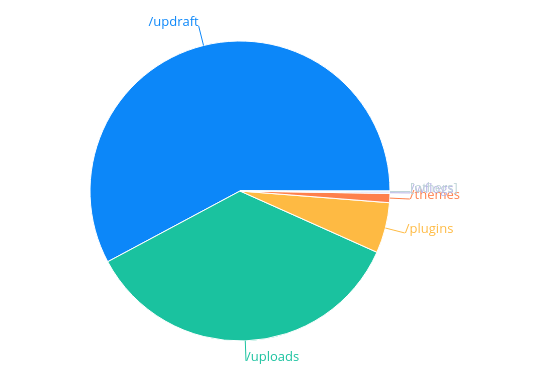
- A graphical representation is also available at the bottom of the screen:
- If required, you can also select files from the left-hand side and use the Delete Selected button to delete.