
Overview
This article details the process of viewing you payment history with Conetix and how you can access your invoices. This is useful when you need to review a past invoice or view all current statements for accounting purposes.
Instructions
- Login to your account through the Conetix Control Panel.

- Enter your Email Address and Password and click login:
(If you are unsure of your password it can be reset: Reset your Password.)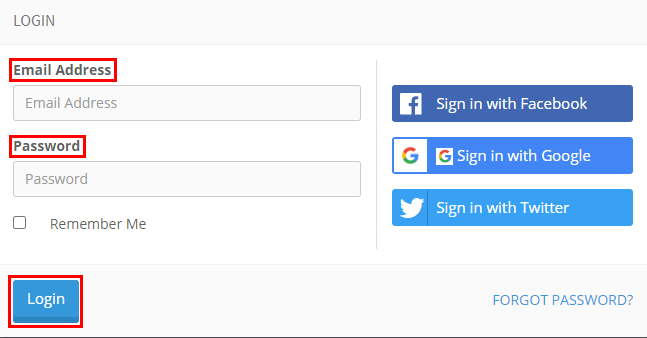
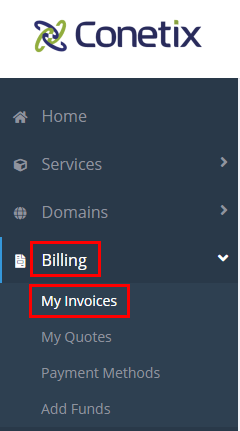
- Once you have logged in Select Billing, then My Invoices.
- From here you can access your invoices and statements.
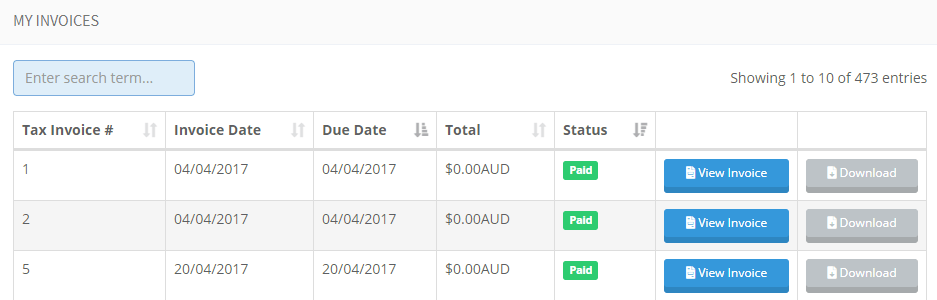
- To download a copy of your invoice, simply click download; this will download a PDF of the invoice.

- Invoice transaction information can be found towards the bottom of the invoice:

If you have any problems or have further queries in regards to your account, please don’t hesitate to contact us.