
Overview
This support article describes how to create a new MSSQL database in Plesk and then import a MSSQL backup. This is typically done when migrating a website or when moving from a local development environment to a live server.
Instructions
- Login into Plesk via the Conetix Control Panel.
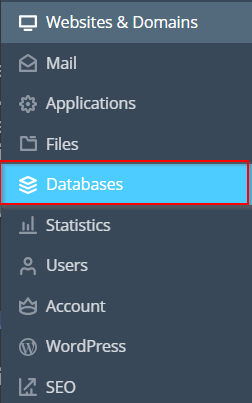
- Next click on Databases in the lefthand Nav:
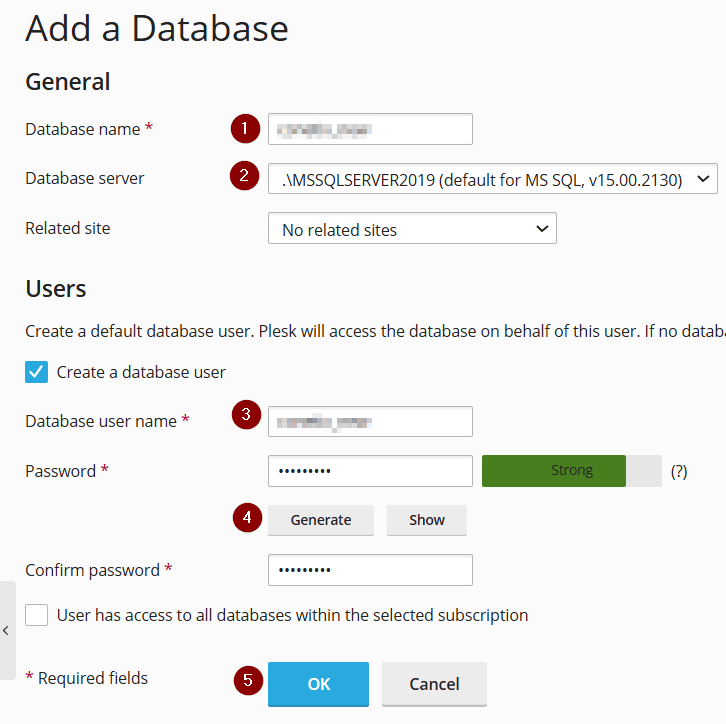
- Next, Click Add Database:

- Enter the relevant details, Database Name, MSSQL Database type, Database User, Password, Confirm password then Ok.
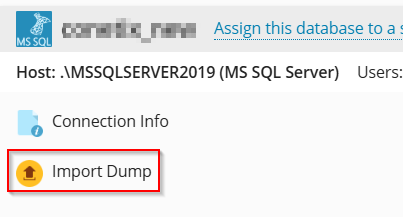
- Click on Import Dump for the newly created Database to restore MSSQL backup:
- Select your MSSQL backup file either by browsing your local computer or under your hosting folder (if you have already transferred it via FTP):

Import database backup task will start and display progress.
Import completed
- You have now successfully created and imported a MSSQL database.
